What if everyone just… knew?
Your care team sees what’s coming up, what needs to be done, and who’s handling what.
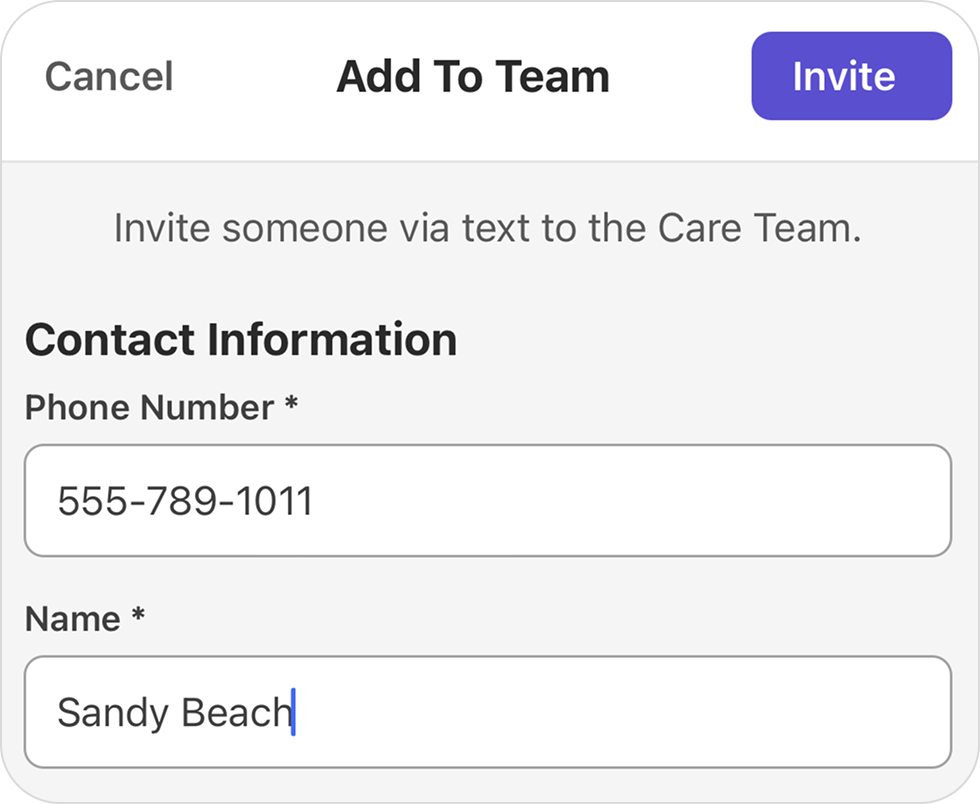
Your care team, one text away
Invite someone by adding their phone number and selecting their access level. Include an elder briefing Elderella creates for you, so they know your elder’s care needs and preferences from day one.
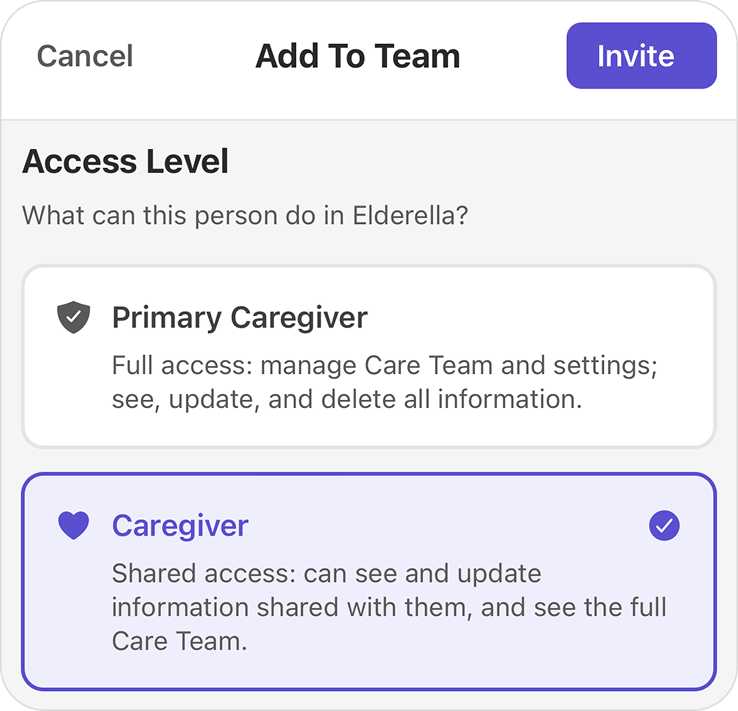
You choose what they see
Every note, task, and event can be shared or kept to primary caregivers only, and you choose if the care team gets notified about medication changes. Documents are only visible to primary caregivers.
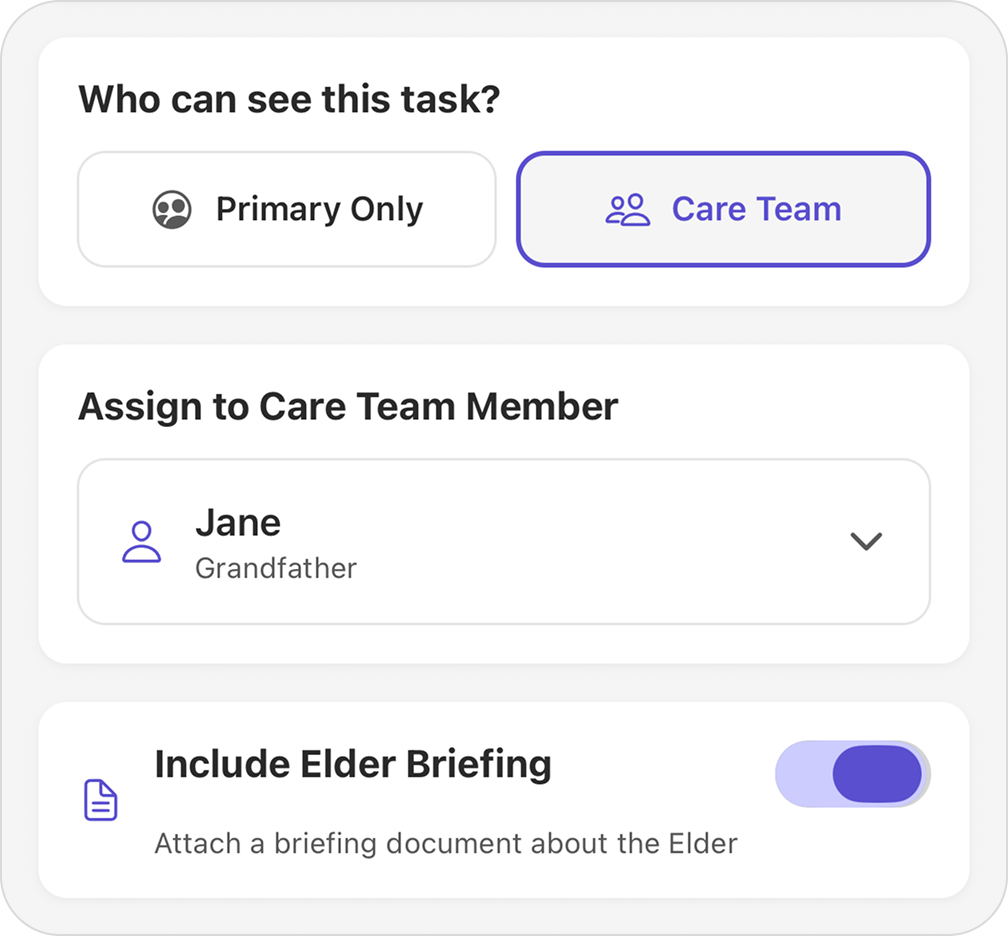
Turn “I can help” into a real task
Give a care team member a task or event with a due date, priority, and reminders, and send a briefing so they have everything they need. Set up repeating tasks for ongoing responsibilities, or break a multi-step task into its own checklist so nothing in the middle gets dropped.
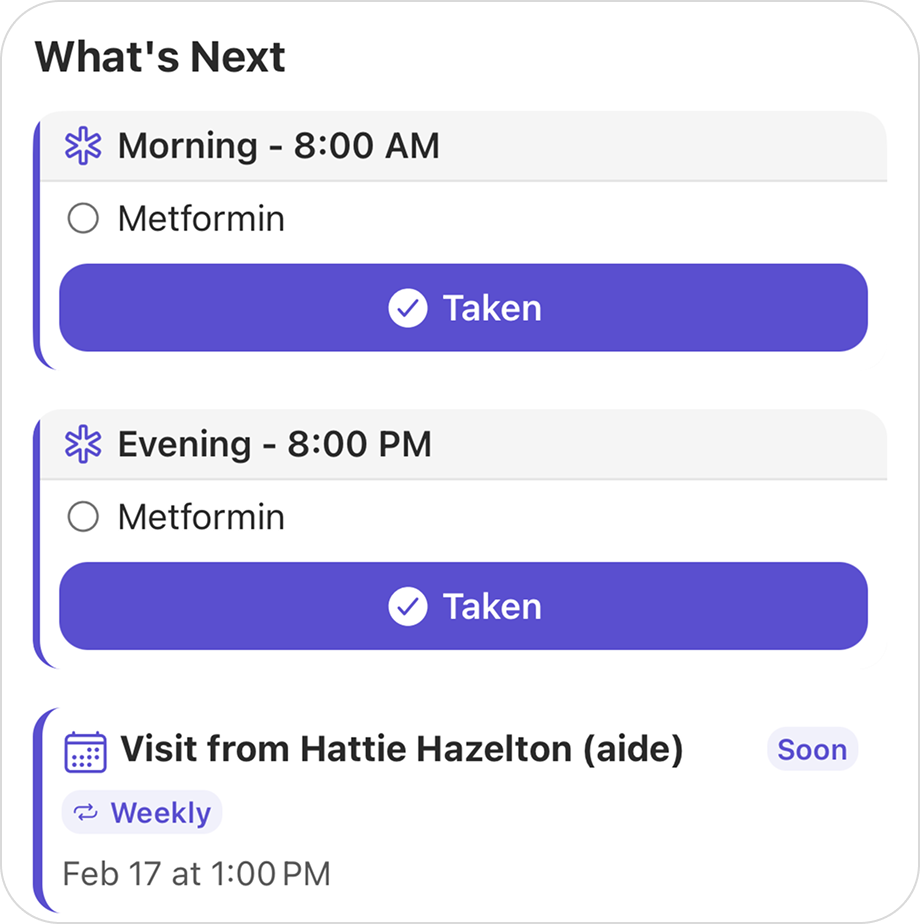
Everyone sees what’s happening
Care team members see what’s coming up and can catch up on everything that’s changed since they last checked, which helps most when someone is caring for a parent from far away. When someone adds a note, any care details Ella finds are flagged for your review first.
“I used to repeat myself to three different people every week. Who’s taking Mom to the doctor, who’s picking up groceries, who’s handling the aide schedule. Now everyone can see it.”
Try it right now

Invite
someone
Enter their phone number, pick their role, and tap Invite. The whole thing takes under a minute.

Assign them
something
Once they accept, assign a task or share an event. Go from “I’ll help however I can” to “Pick up the prescription Friday.”

View your
care team
Tap Care Team in your elder’s profile. You’ll see everyone helping with care in one place.
Pro tip:
Next time your sibling says “let me know how I can help,” send them an Elderella invite with an elder briefing. Once they accept, they’ll know what your elder needs.
Questions?

Ready for help?
Get startedTrust & security
Caring for an elder involves some of the most personal details in a family’s life. See how Elderella keeps your data private, secure, and within your control.
Trust & Security