A map built for elder care
From everyday care to the long-term decisions, the care map shows where things stand and the one step to focus on this week. Ella keeps it up to date.
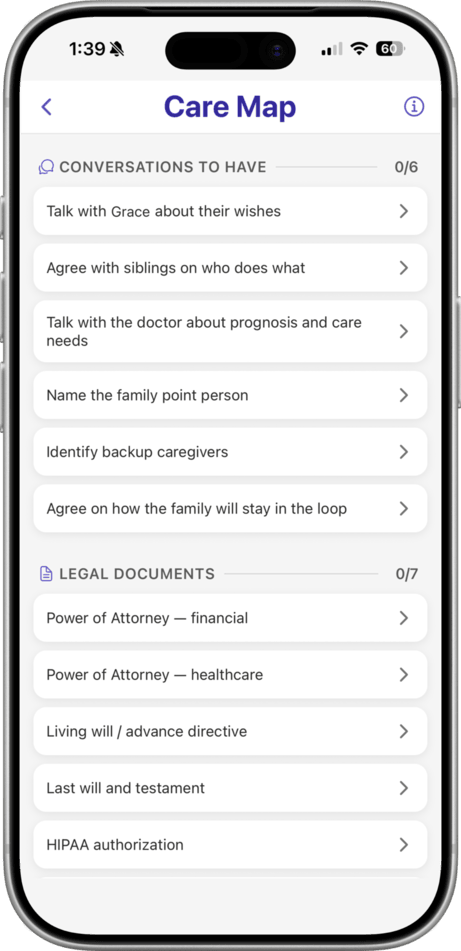
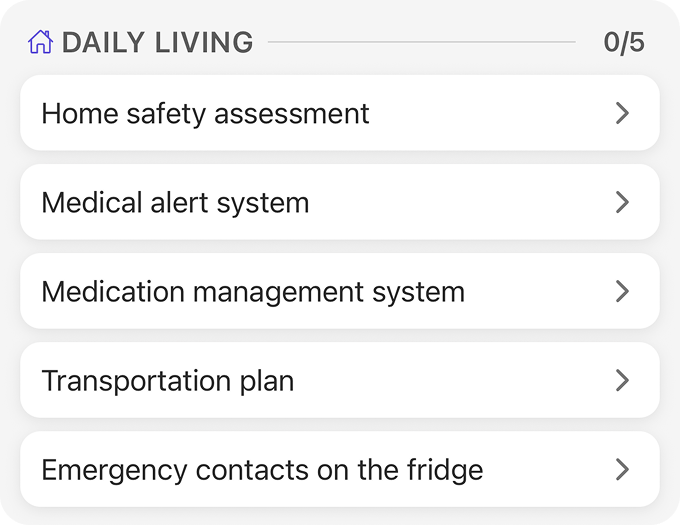
More steps than you’d think
The house, the bank, the pets, the passwords, the conversations no one wants to start. The care map lays it all out, before any of it becomes urgent.
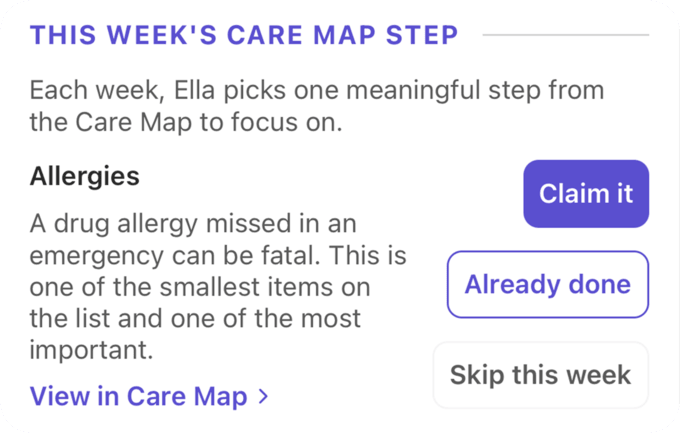
One step at a time
Each week, Ella gives each Primary Caregiver their own next step to claim, mark done, or skip. You’ll get there, together.
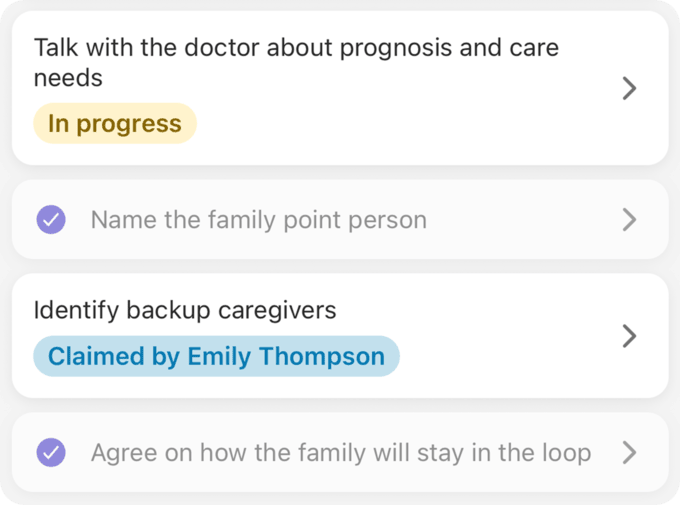
Find where you are
Open the map and see exactly where care stands: what’s done, what’s in progress, and what your sibling already claimed. Every Primary Caregiver sees the same picture, so nobody’s guessing or doubling up.
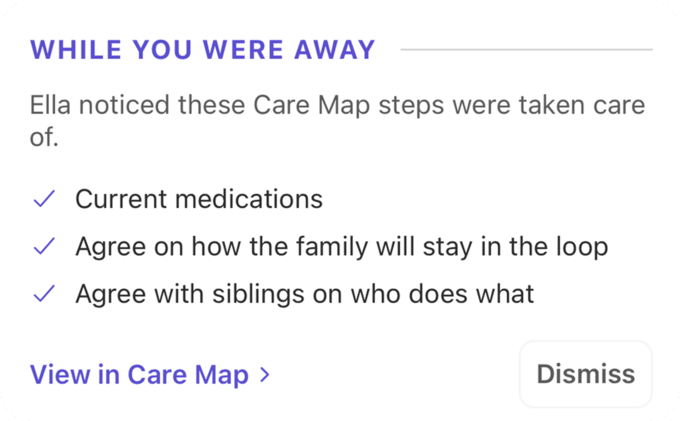
Ella keeps track of progress
Add a medication or upload a document, and Ella marks the matching item done for you. When you’re back in Elderella, a quick recap shows what she caught while you were away.
“Elderella has been a tremendous support in helping organize care responsibilities, improve communication, and reduce the mental load that comes with managing so many moving pieces.”
Suzanne H., family caregiver
How the care map works

Open the
care map
Open the care map in Elderella and browse care by category. Every item shows where things stand at a glance.

Watch it
fill in
As your team adds to Elderella, Ella marks the matching items done. Primary Caregivers can also update the map.

Do this
week’s step
Ella brings this week’s step to your elder’s home screen. Handle it and mark it done, one clear step a week.
Pro tip:
Try not to dwell on everything still on the list. When you have the capacity, do the one step Ella hands you this week. Check back now and then, and you’ll be surprised how much has filled in as you go.
Questions?

Ready for help?
Get startedTrust & security
Caring for an elder involves some of the most personal details in a family’s life. See how Elderella keeps your data private, secure, and within your control.
Trust & Security