Every medication, managed. Even when you’re busy.
Elderella keeps every medication, dose, and reminder in one place, updated as things change — so the whole care team always knows what’s current.
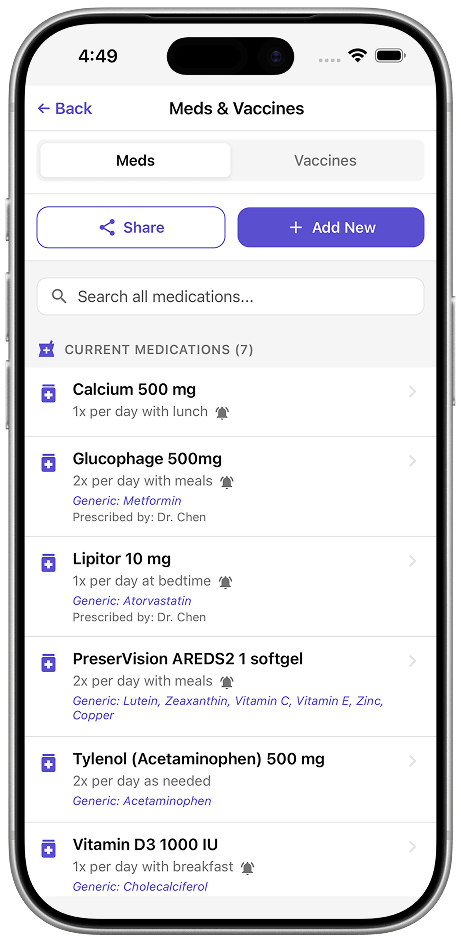
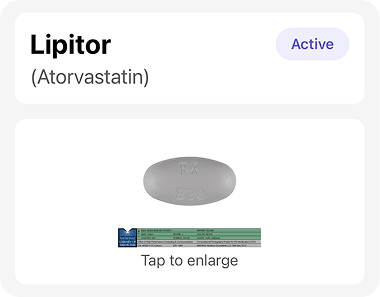
See each pill at a glance
Open any medication and a photo of the actual pill is right there — the round white one, the small yellow one, no guessing. The whole care team sees the same thing, so it’s never “which one is the cholesterol pill?” from the kitchen.
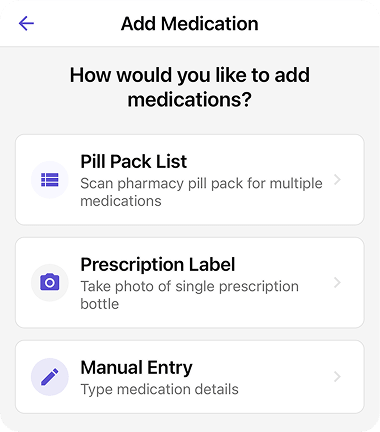
Add a new medication in seconds
Snap a photo of a pill pack or prescription label (even the one wrapped around a pill bottle) and Elderella fills in the name, dose, and schedule. Or choose a photo you already have from your library.
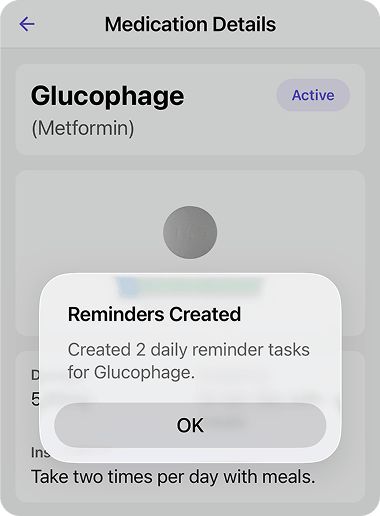
Reminders that fit the real schedule
Set a pill reminder for any time of day — daily, twice a day, or every other day. Miss one and it expires on its own, and every dose you check off builds a record over time.
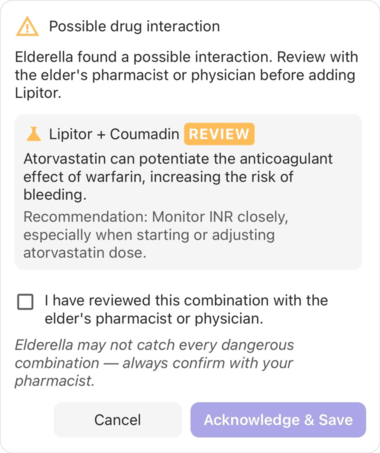
Potential interactions, flagged automatically
When you add a medication, Elderella checks it against the others on the list. Anything that could interact gets flagged, so you can call the pharmacist or doctor right away.
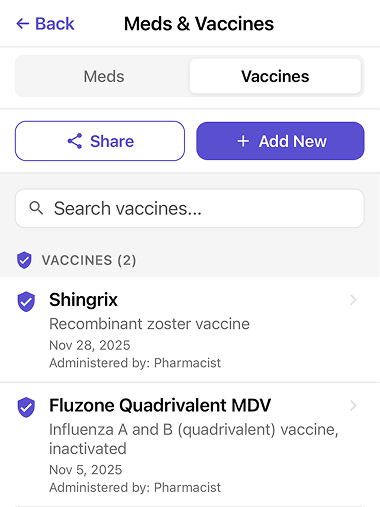
Vaccines alongside medications — one view
Elderella keeps vaccinations right alongside medications, so a flu shot and a blood pressure pill live in one place — no separate records, no scattered paperwork.
The list is there when you need it
The ER at 11pm
The doctor asks for a full medication list. You open Elderella and have it in seconds.
A new home care aide
They need to know what your parent is taking. Share the list before their first shift.
Your sibling at the pharmacy
They’re picking up vitamins and can’t remember the current dosage. One tap and they have it.
The specialist appointment
The doctor doesn’t have the chart. You pull up the list and the appointment can actually move forward.
Medicines coming from several doctors? Read our guide to keeping one medication list across different doctors.
Get started in three steps

Add your first
medication
Open the Medications tab and tap + to add. Scan a pill pack or prescription label, or choose a photo from your library — Elderella fills in the details.

Set a
reminder
Pick when and how often. Elderella sends the reminder and keeps a record of what’s been taken.

Ask Ella
anything
Got a question about the list? Ask Ella in chat. She knows every medication, dose, and change in your elder’s profile.
Pro tip:
Scan the prescription label the moment you pick up a new medication. It takes 10 seconds — and the list is always up to date.
Questions?

Every medication, managed.
Get startedTrust & security
Caring for an elder involves some of the most personal details in a family’s life. See how Elderella keeps your data private, secure, and within your control.
Trust & Security