Elderella captures all the details
Share a text, a photo, or a voice note, and Ella pulls out the medications, appointments, tasks, and people, ready to add with a tap.
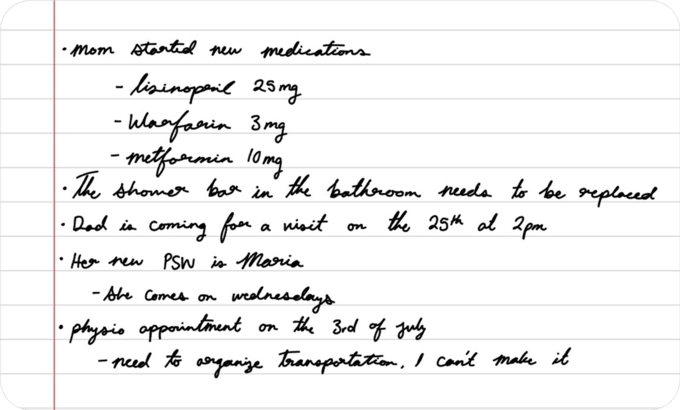
Ella pulls out what’s important
A photo of a prescription label. A long, rambling voice note. A snap of the calendar on the kitchen wall. A handwritten note of bits and pieces. A giant spreadsheet. Simply upload it and let Elderella work its magic.
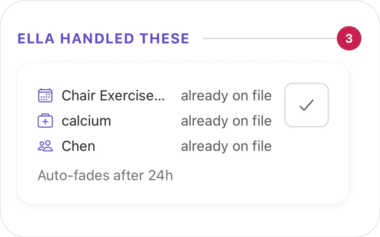

Only what’s new reaches you
Share something that’s already on file and Ella won’t add it twice. She marks it handled under “Ella handled these,” so your “Needs you” list only holds what deserves your attention. Open any item for more information.
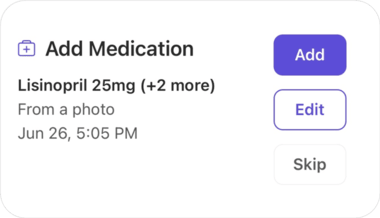
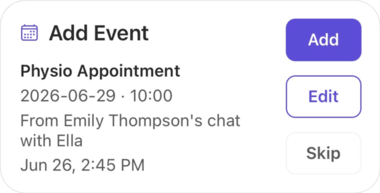
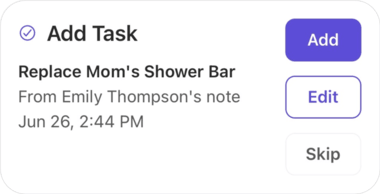
Everything she found, lined up for your okay
Everything Ella caught waits under “Needs you” on the home screen: a medication change, a physio appointment, the shower bar that needs replacing. Keep what’s right, skip the rest. Nothing’s saved without you.
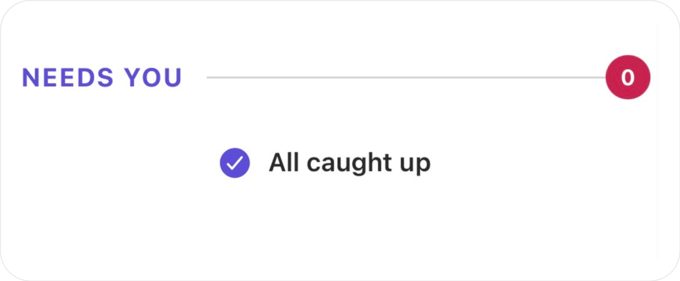
Thirty seconds and you’re all caught up
Open Elderella and check “Needs you.” A few taps and your elder’s care memory is up to date, for you and everyone on your care team.
“You miss dates, you miss times — as much as you throw things in Google calendar or on your fridge calendar. I find that's the hardest thing to coordinate.”
Try it right now

Open your elder's
home screen
Open Ella’s Update on the home screen and look for “Needs you.” If Ella flagged anything, you’re already halfway to an up-to-date care memory.

Review what
Ella found
Each item shows the details Ella picked up so you can confirm before it's added.

Add what matters,
skip the rest
‘Add’ saves it to the care memory, ‘Skip’ dismisses it. Done in seconds.
Pro tip:
Clear what’s in “Needs you” before bed. You'll start each morning knowing your elder's care memory is accurate, and so will everyone on your care team.
Questions?

Ready for help?
Get startedTrust & security
Caring for an elder involves some of the most personal details in a family’s life. See how Elderella keeps your data private, secure, and within your control.
Trust & Security