See what your first minute looks like
Tell Ella one thing about the care you’re managing and watch her take it from there.
Add Ella to your family group chat
Save Ella’s contact card from your elder’s dashboard, then add her to your family’s text or WhatsApp group. She’ll start picking up care details from the conversation automatically.
Tell Ella what’s on your mind
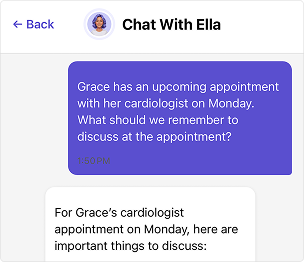
Chat with Ella about an upcoming appointment, your elder’s daily routine, or who stops by to check on them. She’ll organize everything and remember it for you.
Capture it before it fades
Record a voice note about your visit, snap a photo of a medication label, or type a few words about your elder’s favorite meals. Ella organizes everything you share and adds it to your elder’s profile.
“I didn’t know where to start. I told Ella about my mom’s medications and five minutes later everything was organized. I thought, okay, I can do this.”
Try one thing right now

Open
Ella’s chat
Tap “Chat with Ella” on your elder’s home screen. No setup needed.

Tell her
one thing
Just got off the phone with a doctor, a sibling, or an aide? Tell Ella what you learned. One sentence is enough.

See what she
does with it
Ella organizes what you shared and adds it to your elder’s profile. Next time you need that detail, it’s there.
Pro tip:
Next time something about your elder crosses your mind, tell Ella. A quick chat or voice note takes less than 30 seconds, and the details will be there when you need them.
Questions?

Ready for help?
Get startedTrust & security
Caring for an elder involves some of the most personal details in a family’s life. See how Elderella keeps your data private, secure, and within your control.
Trust & Security